Convert Logo to VIP File Format Without Losing Stitch Quality
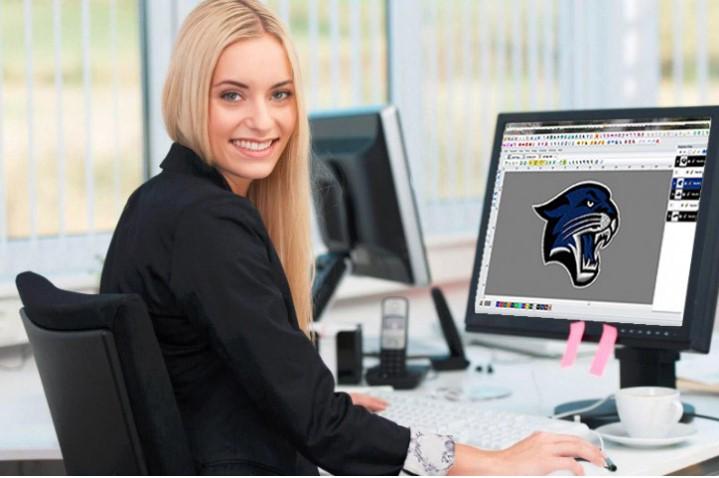
When you Convert Logo to VIP File Format, the goal is simple. You want clean stitches. You want smooth outlines. And you want your logo to look the same on fabric as it does on screen. Many people struggle with this step. The logo looks great as an image. But once stitched, it feels off. Lines break. Fills look rough. This usually happens because the conversion process is rushed or done the wrong way.
VIP files are used by Husqvarna Viking embroidery machines. These machines are powerful. But they still need a well-made file. A proper VIP file tells the machine where to stitch, how dense to stitch, and in what order. This guide explains everything in simple words. It is written for beginners and growing embroidery businesses.
What Is a VIP Embroidery File Format
A VIP file is not an image. It is a stitch file.
What a VIP file contains
- Stitch paths
- Stitch order
- Thread color data
- Density settings
Your machine reads stitches, not pictures. That is why correct conversion matters.
Why Logo Conversion to VIP Matters
Logos carry brand value.
Poor conversion can cause
- Broken outlines
- Gaps in fills
- Extra trims
- Thread breaks
A clean VIP file protects the logo and saves time during stitching.
Why Stitch Quality Is Lost During Conversion
Many people use quick tools.
Common reasons for quality loss
- Auto digitizing tools
- Low-quality artwork
- Wrong stitch density
- No underlay stitches
These shortcuts often lead to weak embroidery.
Best Logo File Types Before Conversion
Good input gives good output.
Recommended file types
- AI
- EPS
- SVG
- High-resolution PNG
Vector files work best because edges stay sharp.
Preparing Your Logo Before VIP Conversion
Preparation is a key step.
Things to clean first
- Remove background
- Fix broken shapes
- Simplify tiny details
A clean logo is easier to digitize.
Auto Conversion vs Manual Digitizing
There are two ways to convert.
Auto conversion
- Fast
- Less control
- Often messy stitches
Manual digitizing
- Clean stitch flow
- Better control
- Strong embroidery
Manual digitizing gives the best results for VIP files.
Choosing the Right Stitch Types
Each logo part needs care.
Common stitch choices
- Satin stitch for borders
- Fill stitch for large areas
- Running stitch for fine text
Wrong stitch choices can ruin the design.
Stitch Direction and Flow Control
Stitch flow affects look and feel.
Why stitch direction matters
- Adds depth
- Reduces fabric pull
- Improves texture
Good flow makes the logo look smooth.
Managing Stitch Density Correctly
Density controls stitch spacing.
Too high density
- Thread breaks
- Hard feel
Too low density
- Fabric shows through
- Weak coverage
Balanced density keeps stitches clean.
Importance of Underlay Stitches
Underlay is the hidden base.
Why underlay helps
- Supports top stitches
- Keeps fabric stable
- Improves stitch shape
Skipping underlay is a big mistake.
Pull Compensation for Sharp Edges
Fabric pulls during stitching.
Why pull compensation matters
- Keeps edges straight
- Prevents shrink
Small adjustments make logos sharper.
Handling Small Text and Fine Details
Small details are tricky.
Best practices
- Use running stitches
- Increase spacing
- Avoid tiny fills
This keeps text readable after stitching.
Color Changes and Stitch Order Planning
Order affects speed and quality.
Smart planning tips
- Group same colors
- Reduce jumps
- Minimize trims
This helps machines run smoother.
Testing the VIP File Before Production
Never skip testing.
What to check
- Stitch balance
- Thread tension
- Fabric reaction
Test on the actual fabric when possible.
VIP Conversion for Different Fabric Types
Fabric matters more than people think.
Light fabric
- Low density
- Soft underlay
Thick fabric
- Strong underlay
- Normal density
Each fabric needs custom settings.
Common Mistakes to Avoid
Using low-quality images
Blurry logos lead to poor stitches.
Relying only on auto tools
Auto tools miss stitch logic.
Skipping test runs
This leads to wasted fabric.
Why Experience Matters in VIP Conversion
Embroidery is not just software.
Experienced digitizers understand
- Machine limits
- Fabric behavior
- Stitch stress points
Experience leads to reliable results.
Long-Term Value of a Clean VIP File
A good VIP file lasts years.
Benefits
- Reuse on many garments
- Easy resizing
- Consistent output
One clean file supports many jobs.
Who Needs VIP Logo Conversion Services
Ideal for
- Embroidery shops
- Clothing brands
- Promotional businesses
- Hobby embroiderers
Anyone using Viking machines needs clean VIP files.
Final Thoughts
Learning how to convert a logo to VIP file format is a smart move. It saves time. It protects stitch quality. And it keeps your brand looking professional on fabric. The process is not just about changing file types. It is about understanding stitches, fabric, and machine behavior.
If you want clean, tested, and machine-ready VIP embroidery files that stitch right the first time, Digitizing Buddy provides professional logo digitizing services built on quality, experience, and trust.

 Arabic
 French
 Spanish
 Portuguese
 Deutsch
 Turkish
 Dutch
Dutch
 Italiano
 Russian
 Romaian
 Portuguese (Brazil)
 Greek
Greek